
ARCHITECTURE / DIGITAL CANVASES
A display can form part of the architecture instead of sitting inside a conventional rectangle. The design begins with the shape, the sightlines and the content that will inhabit it.
Planar’s Mosaic LED, Chameleon and Tile families address different versions of that idea. They need different mounting and content strategies, so the starting question is what the display should do for the space—not which product name sounds most flexible.
IN THIS ARTICLE
01
Mosaic LED: compose with negative space.
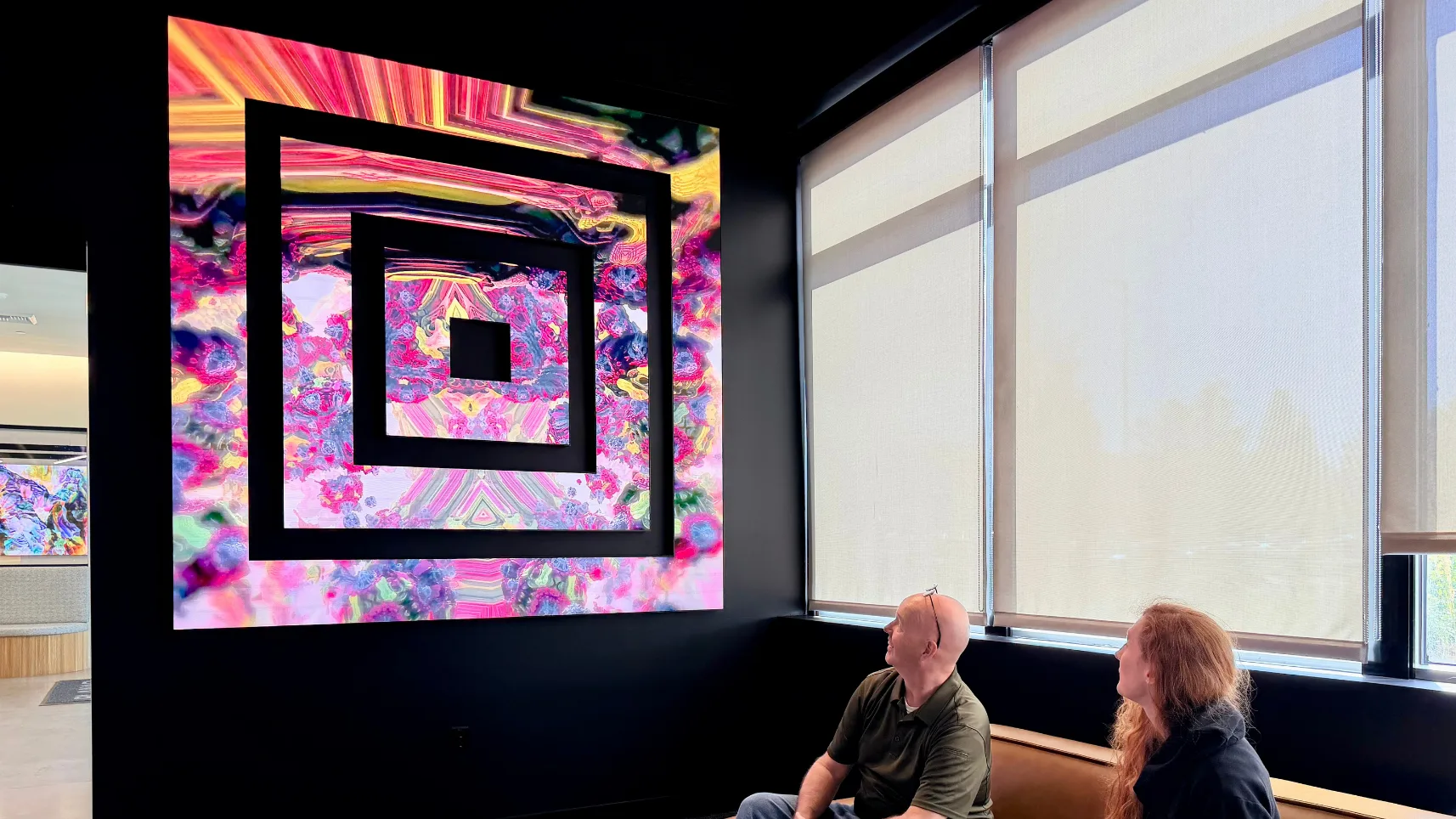
The current Mosaic LED family combines cabinet formats including 500 × 250, 500 × 500, 750 × 250 and 1,000 × 250 mm. Different shapes allow the display to become a composition with intentional gaps and changes in scale. This is the newer LED family, distinct from the historical Mosaic LCD products.
Design the content with the physical arrangement. A video made for a solid rectangle may lose its subject across gaps or place text where no image surface exists. An early content mockup helps the architect and media designer agree what should remain continuous and what can move between separate areas.

Mosaic LED as an architectural composition in a Planar showroom. Manufacturer imagery, not a Malibu Wired installation.

Four cabinet formats in the Mosaic LED family. The final arrangement and content map are project-specific.
02
Chameleon: consider both sides of the experience.
Chameleon is a double-sided LED format designed for suspended or freestanding use. Its two faces can carry synchronized or independent content. That opens possibilities for a dividing element or a display seen from different circulation routes.
Plan the two viewing directions separately. A message that works from the entrance may need different scale or pacing on the reverse side. Suspension, floor support, cable routes and service access should be resolved alongside the visual design, especially when the display is treated as an object within the room.

Chameleon’s suspended, rounded-corner format. One face is visible in this official Planar product image.
03
Tile: work with modules, curves and a supporting structure.
The Tile range includes rigid 2:1 modules, 16:9 Tile W and flexible Tile Flex. The flexible module enables curved surfaces; Planar specifies a minimum 1 m diameter for Tile Flex. That is a diameter, not a radius, and it does not mean every proposed curve or mounting method is automatically supported.
A module-based surface still needs a designed support, suitable power and processing, alignment and a service strategy. The product’s Type-C connection is not an invitation to treat it as an ordinary USB-C video monitor. Start with the manufacturer’s intended system and develop the geometry with the project team.

Tile Flex held in a curved shape. The finished installation requires its own support and engineering study.
04
Develop the media and the architecture together.
Bring a plan or elevation, approximate viewing distances and the intended purpose: art, wayfinding, a brand story or a changing environmental feature. Identify where the display should be quiet as well as where it should attract attention. Brightness and movement need to work with the people using the space.
These architectural systems are outside the flat cabinet-array choices in our configurator. We develop them through a separate geometry, content and engineering discussion. The original manufacturer brochures below are useful references for that first conversation; they are not substitutes for a project-specific design.
Original manufacturer resources.
Manufacturer information checked October 16, 2026. Confirm the exact model, availability and complete system specification for your project.
Start with your space.
Share your room, preferred image size and the experiences that matter most. We will use those details to shape the next design conversation.